TikTok Story Viewer
Watch and download public TikTok stories and recent videos — no account or app needed.
Try an account
How to use this TikTok story viewer
Three steps, nothing to install.
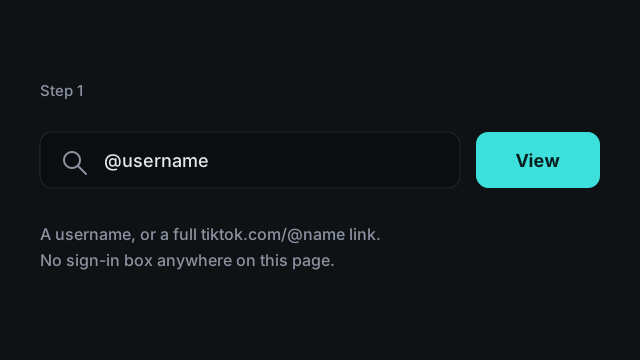
1 Enter a username or a profile link
Type the handle — @jasonderulo or jasonderulo, both work — or paste a tiktok.com/@username link from the share sheet. Only know the person's name? Type it and pick the right account from the matches.
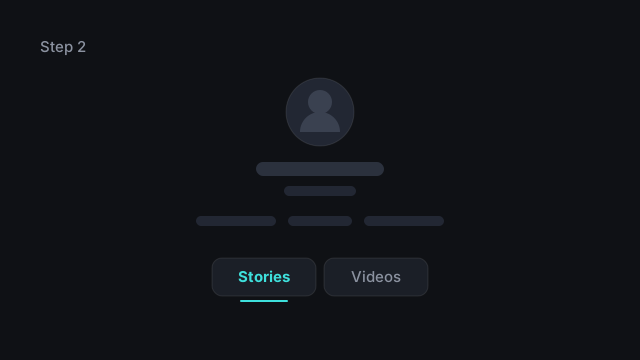
2 Press View
The public profile loads in a second or two: name, bio, follower counts, and whether a story is live. Our server fetches the profile from TikTok; the stories and videos then play in your browser straight from TikTok.
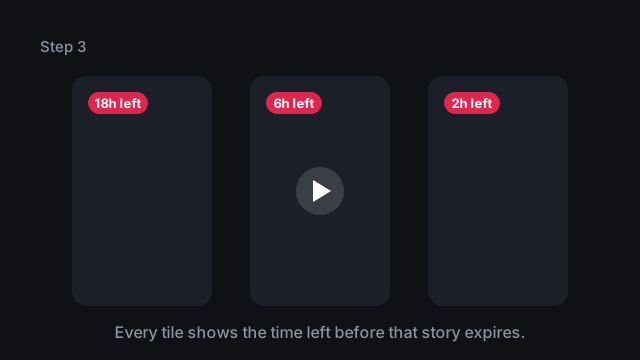
3 Watch or save the stories
Live stories appear as portrait tiles with the hours left on each. Tap one to play it full size, or press Download to save a copy. If no story is live, the Videos tab has the account's recent posts.
What this TikTok story viewer shows
Everything on the results screen after you press View.
A countdown on every story
Each tile shows how many hours the story has left, so you know whether to watch now or come back later.
Video and photo stories
Clips play in a full-size player; photo stories open as a stack you can scroll through.
Save TikTok stories and videos
Download a story as an MP4 before it expires, or keep any of the recent videos. Photo stories save one file per photo.
Recent videos when no story is live
A public account often has no active story when you check. Instead of an empty page you get their latest videos.
Built for your phone
Portrait cards, one tap to play, countdown badges big enough to read at a glance.
Free to use
No sign-up, no app, no browser extension.
Is this TikTok story viewer anonymous?
You can view TikTok stories here without signing in, so no account of yours is involved and there is no name of yours for the creator's viewer list to show.
Your name stays off the viewer list
That list shows the TikTok accounts that watched. This site uses no account at all: not yours, and not a borrowed one.
The total view count is a different matter
We can't tell whether a signed-out view adds to the number a creator sees. If it does, it adds a number, not a name.
Watching in the app is not anonymous
Open the same story in TikTok while logged in and you appear in the list like any other viewer, even with profile views turned off.
Nothing to sign up for
No TikTok login, no account here, nothing to install.
How TikTok stories work
What a story is, how long it stays up, and who can see that you watched it.
A story lasts 24 hours
A TikTok story is a short video or photo post that disappears from the profile a day after it goes up. TikTok's help pages say stories "stay visible for 24 hours".
A ring on the profile photo means one is live
In the app, an account with an active story shows a coloured ring around its profile photo. In this viewer, the number on the Stories tab tells you the same thing.
The creator sees who watched
A creator can see the accounts that viewed each story, and there is no setting to leave that list. TikTok says story view history "won't be affected and is separated from post view history", so turning off profile views does not change it.
Highlights keep stories longer
Creators can pin a story to a Highlight on their profile so it stays past 24 hours. This TikTok story viewer shows active stories only; Highlights are not included.
Most accounts have no story at any given moment
Stories are occasional posts that expire within a day, so at any moment most accounts have nothing live. An empty Stories tab is normal, not an error.
What this TikTok story viewer cannot do
Four things it can't do.
It cannot open a private account
This TikTok story viewer works on public accounts only. A private account serves its stories to approved followers alone, so nothing public exists for us to fetch.
It cannot bring back deleted or expired posts
Once a TikTok story passes its 24 hours it is gone, and a deleted video with it. We keep no archive.
It cannot show reposts, comments or follower lists
You get the account's profile, its live stories and its recent videos. Reposts, comment threads and who follows whom are not part of it.
It cannot tell you who viewed your own TikTok story
That list lives inside the TikTok app: open your active story and tap the viewer count. No website can produce it.
TikTok story viewer FAQ
Common questions about viewing and saving TikTok stories.
Not when you view it here: no account of yours is involved, so there is no name of yours for their viewer list to show. In the TikTok app, yes — even with profile views turned off.
Because the account has nothing live right now. Stories expire 24 hours after posting and most people post them only now and then. Their recent videos are in the Videos tab.
Yes. Open a public story or video and tap Download — the file is saved as an MP4 (photo stories save each photo). Your browser fetches the file straight from TikTok's CDN, so it never passes through our servers. Save a story while it is still live; we cannot recover expired or deleted ones.
Yes, in any mobile browser such as Safari or Chrome. On an iPhone, downloads land in the Files app under Downloads; on Android, in your Downloads folder.
Viewing public posts is something TikTok itself allows: a public account's posts "may be visible to, and shared by, anyone on or off TikTok whether or not they have a TikTok account". Downloads are for your own use. The videos still belong to the people who made them, so ask before reposting someone else's content.
No. TikStories is independent — not affiliated with, endorsed by or operated by TikTok or ByteDance, and TikTok is a trademark of its owner.
Try the TikTok story viewer
Scroll up, enter a public username, and their TikTok stories and recent videos load in seconds — no account needed.
Back to the search box